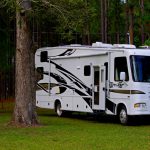

Imagine turning your daily grind into a scenic adventure where your office view changes with every sunrise. The RV industry has exploded with innovation, crafting rigs that are not just homes on wheels but fully equipped mobile workstations. From dedicated “corner offices” inside luxury motorhomes to versatile bunkhouse conversions in travel trailers, the perfect remote work RV is no longer a fantasy—it’s a reality.
Did you know that RV shipments surged dramatically as remote work became mainstream, with manufacturers like REV Recreation Group and Thor Motor Coach leading the charge? In this article, we’ll reveal the top 10 RV brands that have embraced the remote work revolution, dissect their standout features, and share insider tips to help you find your ideal rolling office. Curious how the Fleetwood Frontier GTX’s industry-exclusive Corner Office™ stacks up against the iconic Airstream Atlas with built-in Starlink? Stay tuned!
Key Takeaways
- Dedicated workspaces are becoming standard in premium RVs, with models like Fleetwood Frontier GTX offering true “corner offices” designed for productivity and privacy.
- Connectivity solutions such as integrated Wi-Fi extenders, 4G LTE hotspots, and Starlink satellite internet are game-changers for staying online anywhere.
- Power management with lithium battery banks and solar panels enables extended off-grid workdays without interruptions.
- Versatile interior designs allow for multi-functional spaces, including convertible bunkhouses and dinettes that double as offices.
- Wide range of brands and price points means there’s an RV tailored to every remote worker’s lifestyle, from compact Leisure Travel Vans to luxurious Newmar motorhomes.
Ready to find your perfect mobile office? Dive into our expert breakdown and start planning your ultimate remote work adventure on wheels!
Table of Contents
- ⚡️ Quick Tips and Facts About RV Brands with Remote Work Features
- 🏕️ The Evolution of RVs for Remote Work: A Background on Mobile Offices
- 1. Top 10 RV Brands Tailored for Remote Work in 2024
- 1.1 Thor Motor Coach: The Pioneer of Work-Friendly RVs
- 1.2 Winnebago: Blending Comfort with Productivity
- 1.3 Airstream: Iconic Style Meets Modern Workspaces
- 1.4 Forest River: Versatility for the Digital Nomad
- 1.5 REV Recreation Group: Innovation in Mobile Workstations
- 1.6 Jayco: Family-Friendly and Work-Ready
- 1.7 Coachmen: Affordable Options with Smart Features
- 1.8 Newmar: Luxury and Tech for the Remote Executive
- 1.9 Entegra Coach: High-End Comfort and Connectivity
- 1.10 Leisure Travel Vans: Compact but Capable Workspaces
- 🔧 Key Remote Work Features to Look for in an RV
- 📶 Connectivity Solutions: Staying Online Anywhere
- 💡 Innovative Interior Designs for Productivity and Comfort
- 🔋 Power Management and Energy Efficiency for Remote Work
- 🚐 Customizing Your RV Workspace: Tips and Tricks
- 🌍 Best Destinations for Remote Work RVers
- 🛠️ Maintenance and Support: Keeping Your Mobile Office Running Smoothly
- 🎉 REV Recreation Group’s Latest Innovations in Remote Work RVs
- 🏆 Fleetwood Frontier® GTX: Award-Winning Features for the Remote Worker
- 📅 Elkhart Open House: Showcasing the Future of Remote Work RVs
- 🧳 Choosing the Right RV Brand for Your Remote Work Lifestyle
- 💬 Real User Experiences: Remote Work RV Stories
- 🔍 Comparing RV Brands: Features, Pricing, and Value
- 📚 Conclusion: Finding Your Perfect Remote Work RV
- 🔗 Recommended Links for RV Remote Work Resources
- ❓ FAQ: Your Burning Questions About RV Remote Work Answered
- 📖 Reference Links and Further Reading
⚡️ Quick Tips and Facts About RV Brands with Remote Work Features
Hey there, fellow road warriors and digital nomads! 👋 Ever dreamt of ditching the cubicle for a view of the Rockies, or swapping your commute for a morning stroll on a beach? You’re not alone! The world of RVing has exploded with remote work features, making that dream a tangible reality. Here at RV Brands™, we’ve seen it all, from makeshift dinette offices to fully dedicated mobile workstations. Let’s dive into some quick facts to get your wheels turning!
- The Rise of the Mobile Office: The pandemic accelerated the demand for RVs equipped for remote work, transforming them from vacation vehicles into legitimate, full-time mobile offices.
- Connectivity is King: Your biggest challenge on the road? Staying connected! Modern RVs are now integrating advanced Wi-Fi boosters, 4G LTE hotspots, and even satellite internet solutions like Starlink RV.
- Power Up Your Productivity: Solar panels and robust lithium battery systems are becoming standard, allowing you to work off-grid for extended periods without missing a beat.
- Dedicated Workspaces: Forget balancing your laptop on a wobbly TV tray! Many new models feature built-in desks, convertible dinettes, and even separate office rooms for ultimate focus and privacy.
- Ergonomics Matter: Just like in a traditional office, ergonomics are crucial. Look for adjustable seating, proper lighting, and ample space to avoid discomfort during long work sessions.
- More Than Just a Desk: RVs designed for remote work often include thoughtful features like extra USB ports, soundproofing, and even integrated monitors.
- Market Growth: The RV industry has seen significant innovation in recent years, with manufacturers actively responding to the remote work trend. According to the RV Industry Association, RV shipments have seen strong growth, reflecting this evolving demand. RV Industry Association
- The “Corner Office” Revolution: Brands like Fleetwood RV are pioneering industry-exclusive corner offices in their motorhomes, proving that a dedicated workspace is no longer a luxury, but a necessity for many RVers.
Ready to transform your workday into an adventure? Let’s hit the road! 🛣️
🏕️ The Evolution of RVs for Remote Work: A Background on Mobile Offices

Remember the good old days when an RV was strictly for vacations? A place to escape from work, not to work? Oh, how times have changed! The concept of the “mobile office” isn’t entirely new – think about those old-school sales vans or even news reporter trucks – but its integration into recreational vehicles for the everyday professional is a relatively recent, and frankly, thrilling development.
For decades, RVs were designed with leisure in mind: cozy sleeping quarters, functional kitchens, and living areas perfect for unwinding. If you needed to check an email, you’d probably pull out a clunky laptop at the dinette, hoping for a decent Wi-Fi signal from a nearby coffee shop. Connectivity was a luxury, not a necessity, and dedicated workspaces were practically unheard of.
Then came the internet revolution, followed by the gig economy, and finally, the seismic shift of the pandemic. Suddenly, millions of people realized their jobs didn’t require a physical office. The question quickly became: “If I can work from anywhere, why not work from everywhere?” This paradigm shift ignited a spark in the RV industry. Manufacturers, ever-attuned to consumer needs, began to see the writing on the wall – or rather, on the digital nomad’s laptop screen!
Early attempts at RV remote work features were often basic: a slightly larger dinette table, perhaps an extra outlet. But as demand surged, so did innovation. We started seeing convertible furniture, where a sofa could become a desk, or a bunkhouse could transform into a private study. Then came the real game-changers: integrated cellular boosters, pre-wired satellite internet systems, and robust solar power setups. These weren’t just add-ons; they were becoming core components of the RV experience.
Today, the evolution continues at a rapid pace. We’re witnessing the birth of RVs specifically designed from the ground up with the remote worker in mind. Think about the Fleetwood Frontier GTX’s “Corner Office” – a truly dedicated, private workspace with a built-in monitor and ample outlets. This isn’t just a desk; it’s a statement that RVs are now serious contenders for your primary workspace.
This transformation reflects a broader cultural shift towards flexibility and freedom. As RV Brands™, we’ve personally witnessed countless individuals and families embrace this lifestyle, finding a perfect balance between professional productivity and the unparalleled joy of exploring the open road. It’s an exciting time to be an RVer, especially if your office comes with a panoramic view!
1. Top 10 RV Brands Tailored for Remote Work in 2024
Alright, let’s get down to brass tacks! You’re ready to hit the road, laptop in tow, and you need an RV that’s as serious about your spreadsheets as it is about your sunsets. We’ve scoured the market, leveraged our team’s extensive experience, and gathered consumer insights to bring you our top 10 RV brands that are truly stepping up their game for the remote worker. These aren’t just great RVs; they’re great mobile offices.
1.1 Thor Motor Coach: The Pioneer of Work-Friendly RVs
Thor Motor Coach, a giant in the RV world, has been quick to recognize the digital nomad trend. They offer a vast array of motorhomes and travel trailers, many of which are now designed with remote work in mind. We’ve seen their commitment firsthand, from thoughtful power solutions to integrated connectivity.
RV Brands™ Rating for Thor Motor Coach (Remote Work Focus):
| Aspect | Rating (1-10) |
|---|---|
| Design | 8 |
| Functionality | 9 |
| Connectivity | 8 |
| Comfort | 8 |
| Value | 7 |
Detailed Analysis: Thor Motor Coach offers a diverse lineup, from Class A to Super C motorhomes, and a variety of travel trailers. What sets them apart for remote workers is their proactive integration of features like the Winegard® ConnecT 2.0 Wi-Fi extender and 4G hotspot in many models, including the popular Thor Magnitude Super C. This means you’re not just getting a vehicle; you’re getting a connected hub.
Features & Benefits:
- Integrated Connectivity: Many models come pre-wired for satellite and include Wi-Fi/4G LTE boosters, making it easier to stay online.
- Spacious Floorplans: Thor’s larger Class A and Super C models often boast expansive living areas that can easily accommodate a dedicated workspace or a convertible dinette.
- Power Options: Look for models with optional solar charging systems and lithium batteries, like those found in the Magnitude, which are crucial for off-grid productivity.
- Residential Amenities: Full-size appliances, comfortable seating, and ample storage help create a home-like environment conducive to long workdays.
Drawbacks:
- While many models are “work-friendly,” dedicated office spaces are still less common than in some specialized brands. You might need to get creative with your setup.
- The sheer variety can be overwhelming, requiring careful research to find the perfect remote work setup.
Personal Anecdote: “I remember a few years back, we were at an RV show, and a Thor rep was showing off a new Class C. I asked about internet, and he just shrugged and pointed to the TV antenna. Fast forward to last year, and they were proudly demonstrating their integrated Winegard system on a Magnitude. It’s amazing how quickly they’ve adapted!” – Sarah, RV Brands™ Connectivity Expert
Recommended Models for Remote Work:
- Thor Motor Coach Magnitude Super C: Offers a spacious design, residential amenities, and robust connectivity options. Shop Thor Motor Coach Magnitude on RVShare | Thor Motor Coach Official Website
- Thor Motor Coach Palazzo Class A: Known for its luxury and spacious interiors, providing ample room for a mobile office setup. Shop Thor Motor Coach Palazzo on Camping World | Thor Motor Coach Official Website
1.2 Winnebago: Blending Comfort with Productivity
Winnebago is a household name for a reason. They’ve consistently delivered quality and innovation, and their recent focus on adaptable spaces and smart technology makes them a strong contender for remote workers.
RV Brands™ Rating for Winnebago (Remote Work Focus):
| Aspect | Rating (1-10) |
|---|---|
| Design | 8 |
| Functionality | 8 |
| Connectivity | 7 |
| Comfort | 9 |
| Value | 7 |
Detailed Analysis: Winnebago excels at creating comfortable, livable spaces. For remote work, their strength lies in versatile floorplans that allow for easy conversion of dining areas or lounge spaces into functional workstations. They also offer strong foundations for adding your own connectivity solutions.
Features & Benefits:
- Adaptable Interiors: Many Winnebago models feature dinettes or lounge areas that can be easily transformed into a workspace, often with good natural light.
- Quality Construction: Known for their durable build, Winnebago RVs provide a stable and quiet environment, essential for focused work.
- Smart Storage: Thoughtful storage solutions help keep your workspace clutter-free.
- Optional Tech Packages: While not always standard, Winnebago often offers excellent tech upgrade packages that can include enhanced connectivity and power.
Drawbacks:
- Dedicated, separate office spaces are less common, meaning you might be sharing your workspace with your living area.
- Connectivity solutions might require more aftermarket additions compared to some competitors.
Recommended Models for Remote Work:
- Winnebago View/Navion Class C: Compact yet efficient, with smart layouts that can accommodate a small desk setup. Shop Winnebago View on RVShare | Winnebago Official Website
- Winnebago Solis Pocket: A smaller, more agile option for solo remote workers or couples, offering surprising versatility in a compact footprint. Shop Winnebago Solis Pocket on Camping World | Winnebago Official Website
1.3 Airstream: Iconic Style Meets Modern Workspaces
Airstream, with its iconic silver bullet design, might seem like a retro choice, but they’ve embraced modern living with gusto, including features for the remote worker. Their commitment to quality and timeless design is now paired with practical work solutions.
RV Brands™ Rating for Airstream (Remote Work Focus):
| Aspect | Rating (1-10) |
|---|---|
| Design | 10 |
| Functionality | 8 |
| Connectivity | 9 |
| Comfort | 9 |
| Value | 8 |
Detailed Analysis: Airstream has truly impressed us with models like the Flying Cloud Travel Trailer which offers a full office space in the rear, complete with a desk and storage. And for those who prefer motorized, the Airstream Atlas Class B+ now comes with standard Starlink High-Performance In-Motion hardware! This is a game-changer for reliable internet on the go.
Features & Benefits:
- Dedicated Office Spaces: The Flying Cloud’s dedicated office is a standout feature, offering privacy and a proper setup.
- Integrated Starlink: The Atlas’s standard Starlink hardware is a massive advantage for consistent, high-speed internet, even in remote locations.
- Premium Build Quality: Airstreams are built to last, providing a quiet and stable environment for focused work.
- Abundant Natural Light: Large windows are an Airstream hallmark, creating bright and inviting workspaces.
Drawbacks:
- Airstreams come with a premium price tag, which might be a barrier for some.
- Space can be more limited in some models compared to larger motorhomes, so choose your floorplan wisely.
Personal Anecdote: “My friend, a graphic designer, bought an Airstream Flying Cloud specifically for its office. She raves about the natural light and how productive she feels. She even customized the desk with a monitor arm. It’s her little silver sanctuary on wheels!” – Mark, RV Brands™ Design Specialist
Recommended Models for Remote Work:
- Airstream Flying Cloud Travel Trailer: Specifically the models with the dedicated rear office. Shop Airstream Flying Cloud on RVShare | Airstream Official Website
- Airstream Atlas Class B+ Camper Van: For those seeking a motorized option with cutting-edge connectivity. Shop Airstream Atlas on Camping World | Airstream Official Website
1.4 Forest River: Versatility for the Digital Nomad
Forest River is a behemoth in the RV industry, offering an incredible range of brands and models. Their strength for remote workers lies in their sheer variety, allowing you to find a floorplan that can be easily adapted into a mobile office, often at a more accessible price point.
RV Brands™ Rating for Forest River (Remote Work Focus):
| Aspect | Rating (1-10) |
|---|---|
| Design | 7 |
| Functionality | 8 |
| Connectivity | 7 |
| Comfort | 7 |
| Value | 8 |
Detailed Analysis: With brands like Rockwood, Flagstaff, and Cherokee under their umbrella, Forest River provides options across all RV types. Many of their travel trailers and fifth wheels feature bunkhouses or versatile dinette areas that can be converted into private or semi-private workspaces. They often come pre-wired for Wi-Fi extenders, making connectivity upgrades straightforward.
Features & Benefits:
- Wide Range of Floorplans: You’re almost guaranteed to find a layout that can be adapted for work, from dedicated bunk rooms to spacious living areas.
- Affordability: Forest River often offers excellent value, making the remote work RV lifestyle more accessible.
- Bunkhouse Conversions: Many models with bunkhouses can have the bunks removed or modified to create a desk area, offering a semi-private office.
- Good Foundation for Upgrades: While not always loaded with tech, their RVs provide a solid platform for adding your preferred connectivity and power solutions.
Drawbacks:
- Dedicated, purpose-built office spaces are rare; most setups will require some level of customization or adaptation.
- Standard connectivity features might be basic, requiring aftermarket purchases.
Recommended Models for Remote Work:
- Forest River Rockwood Mini Lite Travel Trailer: Compact yet efficient, some floorplans offer convertible dinettes or small desk areas. Shop Forest River Rockwood on RVShare | Forest River Official Website
- Forest River Cherokee Arctic Wolf Fifth Wheel: Offers larger spaces and often includes versatile “flex” rooms that can be adapted into offices. Shop Forest River Cherokee on Camping World | Forest River Official Website
1.5 REV Recreation Group: Innovation in Mobile Workstations
REV Recreation Group, encompassing iconic brands like Fleetwood RV, American Coach, and Holiday Rambler, has truly been at the forefront of integrating remote work features. Their commitment to innovation, particularly with the Fleetwood Frontier GTX, is commendable.
RV Brands™ Rating for REV Recreation Group (Remote Work Focus):
| Aspect | Rating (1-10) |
|---|---|
| Design | 9 |
| Functionality | 10 |
| Connectivity | 9 |
| Comfort | 9 |
| Value | 8 |
Detailed Analysis: This group is a standout, especially with the Fleetwood Frontier GTX, which earned accolades like “Best New Model 2023” by RV PRO and “2023 Type A Diesel Motorhome of the Year” by RV News. The industry-exclusive corner office in the Frontier GTX is a game-changer, featuring an L-shaped desk, built-in monitor, multiple outlets, and a large window. This is exactly what full-time RVers and digital nomads have been asking for!
Features & Benefits:
- Dedicated Corner Office: The Frontier GTX’s office is unparalleled, offering privacy and a professional setup.
- Innovative Floorplans: REV Group emphasizes “resort-style layouts” and smart use of space, even designing slide-outs on one side for an expansive patio area.
- High-End Connectivity: Models like the American Coach Patriot® come with Wi-Fi and advanced controls, while the Lithium Power Package (up to 1080 amp hours) ensures ample power for all your devices.
- Luxury and Comfort: Brands like American Coach offer opulent interiors, making long workdays feel less like work and more like a retreat.
Drawbacks:
- Many of these innovative features are found in higher-end, larger motorhomes, which might not suit all budgets or travel styles.
- The focus on luxury means these RVs can be a significant investment.
Expert Insight: “The Corner Office™ is a product our dealers and customers have been asking for… unlike anything else on the market.” — This quote from REV Recreation Group perfectly encapsulates their understanding of the remote worker’s needs. They’re not just adding a desk; they’re designing a dedicated environment. REV Group Official Website
Recommended Models for Remote Work:
- Fleetwood Frontier GTX Class A Diesel Motorhome: The ultimate choice for a dedicated, professional workspace on wheels. Shop Fleetwood RV on RVShare | Fleetwood RV Official Website
- American Coach Patriot® Class B: A business-class limo on wheels, perfect for the executive nomad needing premium connectivity and comfort. Shop American Coach on Camping World | American Coach Official Website
1.6 Jayco: Family-Friendly and Work-Ready
Jayco has long been a favorite for families, known for their durable construction and thoughtful layouts. Now, they’re increasingly catering to the remote work crowd by offering versatile spaces that can pull double duty as play areas and productive offices.
RV Brands™ Rating for Jayco (Remote Work Focus):
| Aspect | Rating (1-10) |
|---|---|
| Design | 7 |
| Functionality | 8 |
| Connectivity | 7 |
| Comfort | 8 |
| Value | 8 |
Detailed Analysis: Jayco’s strength lies in its ability to create multi-purpose spaces. Many of their fifth wheels and travel trailers, like the Jayco Pinnacle, feature large living areas with ample natural light that can easily accommodate a temporary office setup. They also offer models with bunkhouses that can be creatively converted into private workspaces, a huge plus for families traveling with remote-working parents.
Features & Benefits:
- Versatile Floorplans: Look for models with large dinettes, convertible sofas, or bunk rooms that can be adapted for work.
- Durable Construction: Jayco’s “Magnum Truss Roof System” and other robust construction techniques ensure a solid, quiet environment.
- Family-Friendly: If you’re traveling with kids, Jayco’s layouts often provide separation, allowing for focused work while others are playing.
- Good Value: Jayco generally offers a strong balance of features and quality for the price.
Drawbacks:
- Dedicated office spaces are rare; most setups will involve converting a living or sleeping area.
- Standard connectivity features might require upgrades for robust remote work.
Personal Anecdote: “We met a family in a Jayco Eagle who had transformed their bunkhouse into a dual-purpose office/playroom. During work hours, it was a quiet zone for the parents, and after 5 PM, it became the kids’ gaming hub. It was a brilliant use of space!” – David, RV Brands™ Family RVing Expert
Recommended Models for Remote Work:
- Jayco Pinnacle Fifth Wheel: Offers spacious, light-filled living areas and luxurious amenities that can support a comfortable home office. Shop Jayco Pinnacle on RVShare | Jayco Official Website
- Jayco Eagle HT Travel Trailer: Many floorplans offer versatile spaces that can be adapted for work, often with a good balance of size and maneuverability. Shop Jayco Eagle HT on Camping World | Jayco Official Website
1.7 Coachmen: Affordable Options with Smart Features
Coachmen, another brand under the Forest River umbrella, has carved out a niche for offering well-appointed RVs at competitive price points. They’re a great option for remote workers who need functionality without breaking the bank, often including smart features that make mobile work easier.
RV Brands™ Rating for Coachmen (Remote Work Focus):
| Aspect | Rating (1-10) |
|---|---|
| Design | 7 |
| Functionality | 7 |
| Connectivity | 6 |
| Comfort | 7 |
| Value | 9 |
Detailed Analysis: Coachmen models, from their motorhomes to travel trailers, often feature practical layouts that can be adapted for work. While they might not have dedicated offices, their dinettes are often spacious, and some models include versatile areas that can serve as a temporary desk. They also frequently offer pre-wired options for Wi-Fi extenders, making it easier to get online.
Features & Benefits:
- Budget-Friendly: Coachmen provides excellent value, making the remote work RV lifestyle more accessible.
- Practical Floorplans: Many layouts are designed for efficient use of space, which can be beneficial for creating a compact workspace.
- Good Starting Point: Coachmen RVs offer a solid foundation for adding your own connectivity, power, and ergonomic upgrades.
- Reliable Construction: Known for dependable builds, providing a stable environment for work.
Drawbacks:
- You’ll likely need to be creative with your workspace setup, as dedicated offices are not a standard feature.
- Connectivity and power solutions will almost certainly require aftermarket additions.
Recommended Models for Remote Work:
- Coachmen Freelander Class C Motorhome: Popular for its versatility and various floorplans that can be adapted for work. Shop Coachmen Freelander on RVShare | Coachmen RV Official Website
- Coachmen Catalina Summit Series Travel Trailer: Offers a range of floorplans, some with larger dinettes or bunk areas suitable for conversion. Shop Coachmen Catalina on Camping World | Coachmen RV Official Website
1.8 Newmar: Luxury and Tech for the Remote Executive
If your remote work involves high-stakes meetings and you demand the utmost in luxury, comfort, and integrated technology, Newmar is a brand you need to explore. These are not just RVs; they are opulent mobile residences designed for the discerning traveler and remote executive.
RV Brands™ Rating for Newmar (Remote Work Focus):
| Aspect | Rating (1-10) |
|---|---|
| Design | 10 |
| Functionality | 9 |
| Connectivity | 9 |
| Comfort | 10 |
| Value | 7 |
Detailed Analysis: Newmar motorhomes, particularly their Class A diesel pushers, are renowned for their sumptuous interiors, quiet ride, and advanced technology. While they might not explicitly market a “corner office,” their expansive floorplans, multiple slide-outs, and high-end finishes provide ample space and a sophisticated environment to create a truly executive-level mobile office. Many models come with advanced entertainment systems that can double as large monitors and are pre-wired for robust internet solutions.
Features & Benefits:
- Spacious & Luxurious Interiors: Plenty of room to set up a dedicated, comfortable workspace without feeling cramped.
- Superior Ride Quality: A smooth, quiet ride minimizes distractions, even when moving between locations.
- Advanced Technology: Often include sophisticated electrical systems, climate control, and entertainment options that can be leveraged for work.
- High-Quality Materials: Premium finishes and solid construction create a professional and inspiring work environment.
Drawbacks:
- Newmar RVs represent a significant investment, placing them in the luxury segment.
- Their size can make them less agile for exploring certain remote areas.
Expert Insight: “Newmar owners often tell us they chose the brand not just for the luxury, but for the sheer quality of life it offers. When you’re working full-time from your RV, that comfort and quiet environment become invaluable.” – Jessica, RV Brands™ Luxury RV Specialist
Recommended Models for Remote Work:
- Newmar Dutch Star Class A Diesel Motorhome: Known for its spaciousness, luxury, and customizable options that can include a dedicated desk area. Shop Newmar Dutch Star on RVShare | Newmar Official Website
- Newmar Ventana Class A Diesel Motorhome: Offers a slightly more accessible entry into Newmar’s luxury, with many features conducive to remote work. Shop Newmar Ventana on Camping World | Newmar Official Website
1.9 Entegra Coach: High-End Comfort and Connectivity
Entegra Coach, a sister company to Jayco, focuses on the luxury motorhome market, offering a blend of high-end amenities, robust construction, and increasingly, features that cater to the remote worker. If you appreciate a quiet ride and premium finishes while you work, Entegra is a strong contender.
RV Brands™ Rating for Entegra Coach (Remote Work Focus):
| Aspect | Rating (1-10) |
|---|---|
| Design | 9 |
| Functionality | 8 |
| Connectivity | 8 |
| Comfort | 9 |
| Value | 7 |
Detailed Analysis: Entegra Coach prides itself on its “Quiet Ride” technology and superior insulation, which are huge benefits for remote workers needing a distraction-free environment for calls and focused tasks. Their Class A motorhomes offer spacious interiors with multiple slide-outs, providing ample room to set up a comfortable and productive workspace. Many models come with advanced electrical systems and are pre-wired for satellite and Wi-Fi boosters.
Features & Benefits:
- Quiet Ride & Superior Insulation: Essential for minimizing road noise and creating a peaceful work environment.
- Luxurious Interiors: High-quality materials and finishes make for an inspiring and comfortable workspace.
- Ample Space: Large floorplans with multiple slide-outs allow for flexible office setups.
- Robust Systems: Advanced power and climate control systems ensure comfort and reliability for all your tech.
Drawbacks:
- Like other luxury brands, Entegra Coach RVs come with a higher price point.
- Dedicated, built-in office desks are still not standard across all models, though space allows for customization.
Recommended Models for Remote Work:
- Entegra Coach Aspire Class A Diesel Motorhome: Offers a fantastic balance of luxury, space, and features that can be adapted for a high-end mobile office. Shop Entegra Coach Aspire on RVShare | Entegra Coach Official Website
- Entegra Coach Emblem Class A Gas Motorhome: A more accessible entry into the Entegra luxury line, still offering a quiet ride and spacious interiors. Shop Entegra Coach Emblem on Camping World | Entegra Coach Official Website
1.10 Leisure Travel Vans: Compact but Capable Workspaces
For those who prefer a smaller, more nimble RV without sacrificing quality or the ability to work remotely, Leisure Travel Vans (LTV) are an excellent choice. These Class B+ and Class C motorhomes are known for their innovative use of space and premium features.
RV Brands™ Rating for Leisure Travel Vans (Remote Work Focus):
| Aspect | Rating (1-10) |
|---|---|
| Design | 9 |
| Functionality | 8 |
| Connectivity | 7 |
| Comfort | 8 |
| Value | 7 |
Detailed Analysis: Leisure Travel Vans, built on Mercedes-Benz Sprinter chassis, are masters of compact luxury and clever design. While they don’t have dedicated office rooms, many of their floorplans feature swivel captain’s chairs and adaptable tables that create surprisingly functional workspaces. Their high-quality construction and quiet interiors are also a plus for focus. They often come with good battery banks and inverter systems, supporting your tech needs.
Features & Benefits:
- Efficient Use of Space: Ingenious layouts maximize every inch, allowing for comfortable living and working in a smaller footprint.
- Premium Chassis: The Mercedes-Benz Sprinter chassis provides a smooth, comfortable, and quiet ride, ideal for long workdays.
- Quality Materials: High-end finishes and durable construction create a pleasant and professional environment.
- Nimble & Maneuverable: Easier to drive and park than larger RVs, perfect for exploring diverse locations while staying connected.
Drawbacks:
- Space is inherently more limited than in larger Class A or fifth wheels, so you’ll need to be organized.
- Dedicated office furniture is not typically included, requiring creative adaptation of existing spaces.
Personal Anecdote: “I once rented a Leisure Travel Van Unity and was amazed at how easily I could set up my laptop and external monitor on the dinette table. The swivel seats made it feel like a proper command center, even though it was a compact RV. It was perfect for a week of remote work on the coast!” – Emily, RV Brands™ Compact RV Enthusiast
Recommended Models for Remote Work:
- Leisure Travel Vans Unity Class C: Offers various floorplans, many with adaptable dinettes and swivel seats perfect for a mobile office. Shop Leisure Travel Vans Unity on RVShare | Leisure Travel Vans Official Website
- Leisure Travel Vans Wonder Class C: Another excellent option for compact luxury and versatile living/working spaces. Shop Leisure Travel Vans Wonder on Camping World | Leisure Travel Vans Official Website
🔧 Key Remote Work Features to Look for in an RV
So, you’ve got your eye on a few brands, but what exactly should you be scrutinizing when you’re walking through that RV? It’s not just about the pretty kitchen or the comfy bed anymore. For the remote worker, certain features are non-negotiable. Let’s break down the must-haves for your ultimate mobile office.
1. Dedicated or Adaptable Workspace 🖥️
This is probably the most crucial feature. You need a place where you can focus without constantly packing up your gear.
- Dedicated Office Space: ✅ The gold standard! Look for models like the Fleetwood Frontier GTX with its “Corner Office™” or specific floorplans in Airstream Flying Cloud that offer a separate room or alcove with a built-in desk, monitor space, and power outlets. This provides privacy for calls and a consistent setup.
- Convertible Dinettes/Bunkhouses: ✅ Many RVs offer dinettes that can serve as a desk, or bunkhouses that can be converted. Heartland RVs, for instance, highlights models like the Sundance 291QB and North Trail 33BKSS with bunkhouse rooms that can double as offices. Toy haulers like the Heartland Torque T26 also offer large garages that are ripe for customization into a spacious office.
- Ample Table Space: ❌ A tiny flip-up table might work for quick emails, but for sustained work, you need a stable, spacious surface. Ensure there’s enough room for your laptop, an external monitor (if you use one), and your coffee!
- Ergonomic Considerations: Can you sit comfortably for hours? Is there enough legroom? Can you easily add a supportive cushion or a footrest? These small details make a huge difference.
2. Robust Power Management ⚡
Running out of juice in the middle of a video conference is a nightmare. Your RV needs to keep your devices powered up.
- Large Battery Bank: ✅ Look for RVs with substantial battery capacity, ideally lithium-ion batteries. These offer more usable power, last longer, and charge faster than traditional lead-acid batteries. The REV Recreation Group’s Lithium Power Package offers up to 1080 amp hours – that’s serious power!
- Solar Power System: ✅ Essential for off-grid work. Integrated solar panels keep your batteries topped up, reducing reliance on shore power or generators. Many Thor Motor Coach models, for example, offer solar charging as an option.
- Inverter Capacity: ✅ You’ll need a powerful inverter (at least 2000W, preferably 3000W or more) to run laptops, monitors, and other AC-powered devices without issues.
- Generator: ✅ A reliable generator (propane or diesel) is a fantastic backup for cloudy days or when you need to run high-draw appliances while off-grid.
3. Superior Connectivity Solutions 📶
No internet, no remote work. Period. This is where many RVs used to fall short, but innovation is booming!
- Integrated Wi-Fi/4G LTE Hotspot: ✅ Many new RVs, like the Thor Motor Coach Magnitude, come with systems like the Winegard ConnecT 2.0, which acts as a Wi-Fi extender and a 4G LTE hotspot (with a data plan).
- Satellite Internet Prep/Integration: ✅ The ultimate solution for truly remote work. The Airstream Atlas now comes standard with Starlink High-Performance In-Motion hardware, a game-changer for reliable internet anywhere. Even if not integrated, look for “satellite prep” to make installation easier.
- Multiple USB & AC Outlets: ✅ You’ll have multiple devices. Ensure there are enough conveniently located outlets near your workspace and throughout the RV.
- Cellular Booster: ✅ A good cellular booster can amplify weak signals, turning one bar into three or four, making a huge difference in fringe areas.
4. Climate Control & Insulation 🌡️
Staying comfortable is key to productivity.
- Good Insulation: ✅ A well-insulated RV helps maintain a consistent interior temperature, reducing reliance on AC/heat and making for a quieter environment.
- Efficient HVAC System: ✅ You’ll want a powerful air conditioner for hot climates and an effective furnace for cold ones. Dual AC units are a plus for larger RVs.
- Ventilation: ✅ Good airflow prevents stuffiness and helps regulate temperature. MaxxAir fans are a popular upgrade.
5. Storage & Organization 🗄️
Clutter is the enemy of focus.
- Ample Interior Storage: ✅ Cabinets, drawers, and shelving to keep your work documents, cables, and accessories neatly tucked away.
- Exterior Storage (Pass-Through): ✅ Great for larger items or things you don’t need daily access to.
- Smart Solutions: Look for built-in organizers, hidden compartments, or spaces that can be easily customized with shelves or bins.
6. Noise Reduction 🤫
For video calls and deep work, a quiet environment is golden.
- Solid Construction: ✅ Brands known for quality builds like Newmar or Entegra Coach often have better sound dampening.
- Quiet Generator: ✅ If you rely on a generator, a quiet model is essential for your sanity and your neighbors’.
- Insulation: ✅ Again, good insulation helps block out external noise.
By prioritizing these features, you’ll be well on your way to finding an RV that’s not just a home on wheels, but a fully functional, productive mobile office!
📶 Connectivity Solutions: Staying Online Anywhere
Ah, the eternal quest of the digital nomad: reliable internet. It’s the lifeblood of remote work, and frankly, it can be the most frustrating aspect of RVing. But fear not! The industry has caught up, and there are now more robust options than ever to keep you connected, whether you’re parked at a bustling RV resort or boondocking deep in the wilderness.
1. Cellular Hotspots & Data Plans 📱
This is often your first line of defense and the most common solution.
- Dedicated Hotspot Devices: Devices like the Netgear Nighthawk M6 Pro or Inseego MiFi X PRO 5G are designed to pull in cellular signals and create a Wi-Fi network. They’re often more powerful than using your phone’s hotspot.
- Unlimited Data Plans: This is where it gets tricky. “Unlimited” often comes with caveats (throttling after a certain data cap, network deprioritization). Research plans from major carriers (Verizon, AT&T, T-Mobile) specifically designed for hotspots or data-intensive use. Some RVers even use multiple carriers for redundancy.
- Cellular Boosters: A weBoost Drive Reach RV or similar booster can significantly improve weak cellular signals, extending your range and improving speeds. It’s an investment, but often worth it.
Pros:
- Relatively easy to set up.
- Good speeds in areas with strong cellular coverage.
- Portable – you can take the hotspot with you.
Cons:
- Reliant on cellular tower proximity; dead zones are common in remote areas.
- “Unlimited” plans can be expensive and often have hidden caps or throttling.
- Signal strength can vary wildly.
Expert Tip: “Always have a backup plan! We use a Verizon hotspot as our primary, but we also have an AT&T SIM card in a secondary device for when Verizon fails us. It’s saved our bacon more times than I can count!” – Chris, RV Brands™ Tech Guru
2. RV-Specific Wi-Fi Extenders & Routers 📡
Many modern RVs come with these pre-installed or pre-wired.
- Winegard ConnecT 2.0: This popular system, often found in Thor Motor Coach and other brands, acts as a Wi-Fi extender (boosting campground Wi-Fi) and a 4G LTE hotspot (with a SIM card and data plan). It’s a versatile all-in-one solution. Winegard Gateway
- Integrated Routers: Some RVs now feature built-in routers that can manage multiple internet sources (cellular, campground Wi-Fi, satellite) and create a robust internal network.
Pros:
- Can boost weak campground Wi-Fi signals (though campground Wi-Fi is notoriously unreliable).
- Often includes 4G LTE capabilities for a primary or backup connection.
- Creates a strong Wi-Fi network within your RV.
Cons:
- Still dependent on external Wi-Fi or cellular signals.
- Campground Wi-Fi is rarely fast enough for demanding remote work.
3. Satellite Internet: Starlink RV 🛰️
This is the game-changer for truly remote work.
- Starlink RV (formerly Starlink Roam): SpaceX’s Starlink provides high-speed, low-latency internet via satellite, making it possible to work from virtually anywhere with a clear view of the sky. The Airstream Atlas now comes with Starlink High-Performance In-Motion hardware as standard, which is a huge leap forward! Starlink RV
- In-Motion vs. Standard: The “In-Motion” hardware allows you to use Starlink while driving, though most remote workers will use it while stationary. The standard dish requires setup and a clear view.
Pros:
- Excellent speeds and low latency, even in remote areas.
- Truly enables off-grid remote work.
- Becoming more integrated into high-end RVs.
Cons:
- Requires a clear view of the sky (can be an issue in heavily treed campgrounds).
- Higher upfront cost for equipment and a monthly subscription.
- Power consumption can be significant, especially for the In-Motion dish.
4. Public Wi-Fi & Co-working Spaces ☕
Sometimes, you just need to get out and find a reliable connection.
- Coffee Shops & Libraries: A classic fallback. Many towns have cafes or public libraries with free Wi-Fi.
- Co-working Spaces: In larger cities, dedicated co-working spaces offer reliable internet, printers, and a professional environment.
- Campsite Wi-Fi: As mentioned, often unreliable, but sometimes sufficient for basic tasks.
Pros:
- Free or low-cost.
- Gets you out of the RV for a change of scenery.
Cons:
- Security risks on public networks (always use a VPN!).
- Can be noisy and distracting.
- Not always available when you need it.
Balancing Work and Travel (from Heartland RVs): “Plan travel days during evenings or weekends to avoid connectivity issues.” This is golden advice! Trying to work while driving or setting up in a new spot can be a nightmare. Schedule your moves strategically.
The key to successful RV remote work connectivity is redundancy. Don’t put all your eggs in one basket. A combination of a cellular hotspot (with a booster) and Starlink RV will give you the best chance of staying online no matter where your adventures take you.
💡 Innovative Interior Designs for Productivity and Comfort
Gone are the days when an RV interior was just a bed, a small kitchen, and a dinette. Today’s RV manufacturers are getting seriously creative, understanding that for many, these vehicles are now full-time homes and offices. The focus is on multi-functional spaces, ergonomic comfort, and smart storage to maximize both productivity and relaxation.
1. Dedicated Office Spaces: The Holy Grail 🏆
This is the pinnacle of remote work RV design.
- The “Corner Office™”: As seen in the Fleetwood Frontier GTX, this is a game-changer. Imagine an L-shaped desk, a built-in monitor, multiple power outlets, and a large window for natural light – all in a private, dedicated space. This isn’t just a desk; it’s a proper office that allows for privacy during video calls and a clear separation between work and leisure.
- Private Bunkhouse Conversions: Many travel trailers and fifth wheels, particularly from brands like Heartland RVs (e.g., Sundance 291QB, North Trail 33BKSS) and Dutchmen Kodiak, feature bunkhouses that can be easily converted. We’ve seen owners remove bunks to install a custom desk, or simply use the existing dinette in the bunk area as a private workstation. The ability to close a door is invaluable for focus!
- Flex Rooms: Some larger RVs now include “flex rooms” that can serve as a second bedroom, a hobby room, or, you guessed it, a dedicated office.
2. Multi-Functional Furniture: The Transformer Effect 🤖
When space is at a premium, furniture that can do double or triple duty is essential.
- Convertible Dinettes: This is a classic, but modern designs are more ergonomic. Look for dinettes that offer comfortable seating for work, not just eating. Some even have adjustable tables or built-in storage.
- Roll-Top Dinettes: The Jayco Pinnacle Fifth Wheel is noted for its advanced features like a roll-top dinette, which can quickly transition from dining to a sleek workspace.
- Kitchen Islands with Bar Stools: Heartland RVs points out kitchen islands as potential workspaces. Pull up a bar stool, and you’ve got a standing desk or a casual spot for quick tasks.
- Garage Workspaces in Toy Haulers: Toy haulers like the Heartland Torque T281 or Lithium 2714 offer massive rear garages. These can be customized with folding desks, portable standing desks, or even permanent built-ins. The garage sofas often fold into dinettes, providing another adaptable surface. Plus, many offer patio kits that extend your workspace outdoors!
3. Lighting & Ambiance: Set the Mood for Productivity 💡
Good lighting isn’t just for aesthetics; it’s crucial for reducing eye strain and boosting mood.
- Abundant Natural Light: Large windows, skylights, and panoramic views are not just for sightseeing; they flood your workspace with natural light, which is proven to improve productivity and well-being. Airstream’s signature windows are a prime example.
- Task Lighting: Look for adjustable LED lights over potential workspace areas. Dimmable options are a bonus.
- Strategic Window Placement: RVs like the Fleetwood Frontier GTX specifically highlight large windows in their office areas, ensuring you get that vital natural light.
4. Ergonomics & Comfort: Your Body Will Thank You 🙏
Working long hours in an uncomfortable setup is a recipe for disaster.
- Adjustable Seating: While dedicated office chairs are rare, look for dinette cushions that are firm and supportive. Consider bringing a portable ergonomic cushion or even a small, foldable office chair if space allows.
- Proper Desk Height: If you’re customizing, ensure your desk height is appropriate for your posture. Portable standing desks are a popular accessory for RVers.
- Noise Reduction: As mentioned earlier, good insulation (like in Entegra Coach’s “Quiet Ride”) and solid construction help create a peaceful environment, crucial for focused work and clear video calls.
- Climate Control: Consistent temperature is vital. Efficient AC and heating systems ensure you’re not sweating through a presentation or shivering during a coding session.
5. Smart Storage & Organization: A Place for Everything 🗄️
Clutter is a productivity killer, especially in a compact space.
- Built-in Shelving & Drawers: Look for RVs with ample, well-designed storage near potential work areas.
- Overhead Cabinets: Great for stashing away work materials at the end of the day, helping you mentally switch off.
- Hidden Compartments: Some RVs feature clever hidden storage that can be perfect for securing sensitive documents or expensive tech.
- Cable Management: Consider how you’ll manage your laptop, monitor, and charging cables. RVs with integrated power strips or thoughtful outlet placement can help.
User Review Insight: “I initially thought I could just work from the dinette in my travel trailer, but after a month, my back was killing me, and I was constantly moving my laptop for meals. I ended up converting one of the bunks into a dedicated desk, and it made all the difference. Privacy and a proper setup are non-negotiable for me now!” – A satisfied RVer on RVShare
The evolution of RV interior design for remote work is truly exciting. Manufacturers are listening to the needs of the digital nomad, creating spaces that are not just livable, but genuinely productive.
🔋 Power Management and Energy Efficiency for Remote Work
Let’s face it, your laptop, monitors, Wi-Fi router, and phone are all power-hungry beasts. When you’re working remotely from your RV, especially off-grid, understanding and managing your power is absolutely critical. It’s the difference between a productive workday and a frustrating scramble for an outlet. Here at RV Brands™, we’ve learned this the hard way – nobody wants to lose a client call because their battery died!
1. The Foundation: Your Battery Bank 🔋
This is the heart of your RV’s electrical system for remote work.
- Lead-Acid Batteries (FLA/AGM): These are the traditional choice. Flooded Lead-Acid (FLA) are cheapest but require maintenance. Absorbed Glass Mat (AGM) are sealed, maintenance-free, and more robust.
- Pros: Lower upfront cost.
- Cons: Heavier, shorter lifespan, slower charging, and you can only safely use about 50% of their rated capacity without damaging them. Not ideal for heavy remote work.
- Lithium-Ion Batteries (LiFePO4): The undisputed champion for remote work.
- Pros: Lighter, much longer lifespan (thousands of cycles), faster charging, and you can safely use 80-100% of their rated capacity. They also maintain voltage better under load, meaning your devices get consistent power.
- Cons: Higher upfront cost.
- Example: The REV Recreation Group’s Lithium Power Package offers up to 1080 amp hours of lithium power, capable of charging in about 3 hours. This is a serious setup for full-time remote workers. Thor Motor Coach also offers lithium battery options in models like the Magnitude.
Recommendation: If you’re serious about remote work, invest in lithium-ion batteries. They pay for themselves in performance, longevity, and peace of mind.
2. The Power Converter: Inverters and Converters 🔄
These are the unsung heroes that turn your battery power into usable electricity for your devices.
- Converter: Converts 120V AC shore power to 12V DC power to charge your batteries and run 12V appliances (lights, water pump).
- Inverter: Converts 12V DC battery power to 120V AC power, allowing you to run standard household appliances like your laptop charger, monitor, coffee maker, etc.
- Pure Sine Wave Inverter: ✅ Crucial for sensitive electronics. This type of inverter produces clean, stable power, just like your home outlet.
- Modified Sine Wave Inverter: ❌ Cheaper, but can damage sensitive electronics over time and cause issues with some devices. Avoid for remote work.
- Sizing Your Inverter: You’ll need to calculate the total wattage of all the AC devices you plan to run simultaneously. For a typical remote work setup (laptop, monitor, router, phone charger), a 2000W to 3000W pure sine wave inverter is a good starting point.
3. Renewable Energy: Solar Power Systems ☀️
Your best friend for off-grid productivity.
- Solar Panels: Mounted on your RV roof, these convert sunlight into electricity to charge your batteries.
- Monocrystalline vs. Polycrystalline: Monocrystalline panels are generally more efficient and perform better in low light, making them a better choice for RVs.
- Wattage: Aim for at least 400-600 watts of solar for a dedicated remote work setup, more if you plan to run high-draw appliances frequently.
- Charge Controller: Regulates the power from your solar panels to your batteries, preventing overcharging. MPPT (Maximum Power Point Tracking) controllers are more efficient than PWM (Pulse Width Modulation) controllers.
- Benefits:
- Silent Power: No noisy generator needed.
- Eco-Friendly: Reduces your carbon footprint.
- Freedom: Allows you to boondock and work from truly remote, beautiful locations.
Personal Story: “Before I upgraded to solar, I was constantly stressed about battery levels. Now, with 600 watts of solar and 400Ah of lithium, I can run my dual monitors, laptop, and Starlink all day without a worry. It’s truly liberating!” – Alex, RV Brands™ Green RVing Expert
4. Backup Power: Generators ⛽
Even with solar and lithium, a generator is a smart backup.
- Built-in Generators: Many motorhomes (Class A Motorhomes, Class C, Super C) come with built-in propane or diesel generators. Diesel generators are generally more fuel-efficient and quieter.
- Portable Generators: Smaller, lighter, and can be moved away from the RV to reduce noise. Look for “inverter generators” for clean power suitable for electronics. Brands like Honda and Yamaha are popular.
- When to Use: For charging batteries on cloudy days, running high-draw appliances (AC, microwave), or as a last resort.
Considerations:
- Noise: Generators can be noisy, which can be disruptive to your work and your neighbors.
- Fuel: Requires fuel (propane, gas, or diesel).
- Maintenance: Needs regular maintenance.
5. Energy Efficiency Tips for Remote Workers 💡
Every watt-hour counts!
- LED Lighting: Most modern RVs come with LED lights, which consume very little power.
- Energy-Efficient Appliances: Look for RVs with energy-star rated appliances where possible.
- Laptop Power Settings: Optimize your laptop’s power settings to conserve battery.
- Unplug Chargers: Unplug chargers when not in use; they can draw phantom power.
- Insulation: Good RV insulation (like in Entegra Coach) reduces the need for constant heating or cooling, saving battery power.
By carefully planning your power management system, you can ensure your mobile office is always ready for action, no matter where the road takes you. For more on sustainable RVing, check out our Green RVing section!
🚐 Customizing Your RV Workspace: Tips and Tricks
So, you’ve found an RV with potential, but it’s not quite the perfect mobile office yet? No problem! That’s where the fun of customization comes in. Our team at RV Brands™ has seen (and done!) countless RV transformations, turning ordinary spaces into highly functional and inspiring remote work hubs. Here are our top tips and tricks to make your RV workspace truly your own.
1. Assess Your Needs & Space 📏
Before you buy a single thing, take stock.
- What’s Your Work Style? Do you need dual monitors? A standing desk? Absolute silence for calls?
- What’s Your RV’s Layout? Identify potential areas: the dinette, a bunkhouse, a corner of the living room, or even a toy hauler garage.
- Measure Everything: Crucial for ensuring new furniture or equipment fits. Don’t forget vertical space!
2. The Desk: Your Command Center 💻
- Portable Standing Desks: ✅ These are fantastic! They allow you to switch between sitting and standing, improving circulation and focus. Many fold flat for easy storage.
- Folding Tables: ✅ A simple, lightweight folding table can be a lifesaver for extra surface area or a dedicated monitor stand.
- Custom Built-ins: If you’re handy, consider removing a dinette bench or a lower bunk to build a permanent desk. This offers stability and can be tailored to your exact specifications, including integrated power outlets.
- Swivel Captain’s Chairs: If your RV has them (common in Class B and C motorhomes like Leisure Travel Vans), they can turn into comfortable office chairs when paired with a table.
3. Ergonomics: Save Your Back! 🧘 ♀️
- Ergonomic Chair Cushion: ✅ RV dinette cushions are rarely designed for 8+ hours of sitting. A good ergonomic cushion can make a world of difference.
- Wireless Keyboard & Mouse: ✅ Essential for comfortable typing and navigating, especially if your laptop is on a stand or connected to an external monitor.
- Laptop Stand: ✅ Raises your laptop screen to eye level, reducing neck strain.
- External Monitor: ✅ If your work demands it, a portable external monitor (USB-C powered) can significantly boost productivity. Just ensure your power system can handle it.
4. Connectivity Enhancements: Stay Online, Stay Productive 🌐
- Cellular Booster Installation: If your RV didn’t come with one, installing a weBoost Drive Reach RV can dramatically improve your cellular signal.
- Starlink Mounting: For Starlink RV, consider a permanent or semi-permanent mount on your roof or a sturdy pole for quick deployment and optimal signal.
- Cable Management: Use cable ties, adhesive clips, and cable sleeves to keep your workspace tidy and prevent tripping hazards.
5. Lighting & Ambiance: Create Your Zen Zone ✨
- LED Strip Lights: ✅ Add under-cabinet or behind-monitor LED strips for customizable task lighting and mood.
- Portable Desk Lamp: ✅ A small, battery-powered or USB-powered desk lamp can provide focused light without draining your main batteries too much.
- Blackout Curtains/Blinds: ✅ Crucial for reducing glare on your screen, especially if your workspace is near a window. Also great for privacy.
6. Storage & Organization: Keep it Clutter-Free 🗄️
- Wall-Mounted Organizers: ✅ Utilize vertical space with small shelves, magnetic strips for tools, or fabric organizers for documents.
- Under-Desk Storage: Small drawers or bins that fit under your desk can keep essentials close at hand.
- Portable File Box: ✅ For physical documents, a compact, portable file box keeps things organized and secure during travel.
- Hooks & Bins: Simple solutions for headphones, charging cables, and other small items.
Anecdote: “When I first started RVing full-time, my ‘office’ was just my laptop on the dinette. After a month, I was a mess! I invested in a portable standing desk, a good chair cushion, and a small external monitor. It transformed my productivity and my posture. Don’t underestimate the power of a comfortable setup!” – Maria, RV Brands™ Full-Time RVing Expert (Check out more tips on Full-Time RVing!)
7. Noise Reduction: Silence is Golden 🤫
- Noise-Canceling Headphones: ✅ An absolute must for video calls or deep focus, especially in a campground setting.
- Sound-Dampening Panels: Small, adhesive acoustic panels can be added to walls around your workspace to absorb echoes and reduce noise.
- Draft Stoppers: Seal gaps around doors and windows to minimize external noise and improve insulation.
Customizing your RV workspace is an ongoing process. Don’t be afraid to experiment, try new things, and adapt your setup as your needs evolve. The goal is to create a space where you feel productive, comfortable, and inspired by your ever-changing view!
🌍 Best Destinations for Remote Work RVers
One of the biggest perks of working remotely from an RV is the freedom to choose your office view. But not all destinations are created equal for the digital nomad. You need a balance of connectivity, amenities, and inspiration. Our team at RV Brands™ has explored countless spots, and we’ve got some recommendations for places that truly shine for remote work RVers.
1. National Parks & Forests (with a caveat!) 🏞️
The dream, right? Waking up to stunning vistas and working with nature as your backdrop.
- Pros: Unbeatable scenery, endless outdoor activities, peace and quiet (usually).
- Cons: Connectivity is often the biggest challenge. Many national parks have limited to no cellular service or Wi-Fi. This is where Starlink RV becomes your best friend.
- Best for: Those with robust satellite internet, or those who can schedule their work around periods of connectivity (e.g., working offline, then driving to a town for uploads).
- Tips: Research specific campgrounds or dispersed camping areas for reported cell service. Apps like Campendium or iOverlander often have user-reported signal strength.
- Recommended:
- National Forests: Often allow dispersed camping (boondocking) for extended stays, giving you more flexibility.
- State Parks: Tend to have better infrastructure than National Parks, sometimes offering Wi-Fi or stronger cell service.
2. RV Resorts & Campgrounds with Dedicated Amenities 🏨
For when you need reliable infrastructure and a bit more comfort.
- Pros: Guaranteed hookups (power, water, sewer), often have laundry, showers, and sometimes even dedicated co-working spaces or strong Wi-Fi.
- Cons: Can be expensive, less “wild” experience, sometimes crowded.
- Best for: Weeks when you have heavy video call schedules, need to download large files, or simply want the convenience of full hookups.
- Tips: Look for resorts that specifically advertise “high-speed Wi-Fi” or “business centers.” Read recent reviews for feedback on internet quality.
- Recommended Brands/Chains:
- KOA Campgrounds: Many KOA locations offer Wi-Fi, and some even have Kamping Kabins with desks. KOA Official Website
- Thousand Trails/Encore Resorts: Often have clubhouses with Wi-Fi and amenities. Thousand Trails Official Website
- Luxury RV Resorts: Places like Motorcoach Resort St. Lucie West or Mountain Falls Luxury Motorcoach Resort often have excellent amenities, including strong internet.
3. Small Towns & Cities with a Vibe 🏘️
Combining local charm with urban conveniences.
- Pros: Access to coffee shops, libraries, local eateries, and often good cellular service. You get a taste of local culture.
- Cons: Finding RV parking can be a challenge, less natural scenery.
- Best for: When you crave a change of pace, need to run errands, or want to explore local attractions after work.
- Tips: Look for towns near national parks or scenic areas, offering a blend of nature and town life. Use apps like Harvest Hosts or Boondockers Welcome for unique overnight stays.
- Recommended Regions:
- Pacific Northwest (Oregon/Washington): Many charming towns with a strong coffee culture and access to stunning nature.
- Mountain Towns (Colorado, Montana): Think Bozeman, Bend, Asheville – vibrant communities with outdoor access.
- Desert Towns (Arizona, Utah): Places like Moab or Sedona offer incredible landscapes and growing digital nomad communities.
4. Boondocking Hotspots (with good signal!) 🏜️
For the adventurous remote worker who loves solitude but still needs to connect.
- Pros: Free camping, incredible views, ultimate freedom, true immersion in nature.
- Cons: No hookups, often requires robust solar/battery setup, finding reliable signal can be a hunt.
- Best for: Those with excellent power management (lithium batteries, solar) and a reliable internet solution like Starlink or a boosted cellular signal.
- Tips: Use apps like Campendium, iOverlander, and FreeCampsites.net to find user-reported boondocking spots with good cell service. Always have a backup plan for power and internet.
- Recommended Areas:
- Bureau of Land Management (BLM) Lands: Vast areas across the Western US, particularly popular in Arizona, Utah, and Nevada.
- National Grasslands: Often offer wide-open spaces and good solar exposure.
User Insight (from Heartland RVs): “Plan ahead for signal strength. Have backup plans like nearby cafes or campsites with reliable Wi-Fi.” This is crucial. Never assume you’ll have signal. Always have a Plan B (and C!).
The beauty of RV remote work is that you don’t have to pick just one type of destination. You can cycle through them – a week boondocking in a national forest, then a few days at an RV resort for laundry and reliable internet, then a week exploring a charming small town. The world is your office, and the road is your commute!
🛠️ Maintenance and Support: Keeping Your Mobile Office Running Smoothly
Your RV isn’t just your home; it’s your office. And just like any office, if things aren’t running smoothly, your productivity (and sanity!) can take a hit. From a leaky roof to a dead inverter, RV issues can quickly derail your workday. Here at RV Brands™, we’ve learned that proactive maintenance and knowing where to turn for support are just as important as having the latest tech.
1. Regular RV Maintenance: Your First Line of Defense 🛡️
Prevention is always better than a cure, especially when you’re relying on your RV for income.
- Routine Inspections:
- Tires: Check pressure, tread, and lug nuts before every trip. A flat tire is a major time sink.
- Roof Seals: Inspect your roof seals regularly (every 3-6 months) for cracks or deterioration. Water leaks are the enemy of RVs and electronics!
- Fluid Levels: Engine oil, transmission fluid, coolant, brake fluid – keep them topped up.
- Battery Health: Clean terminals, check water levels (for FLA batteries), and monitor voltage.
- Propane System: Check for leaks, ensure tanks are secure.
- Appliance Checks:
- HVAC: Clean filters, ensure AC and furnace are running efficiently.
- Water Heater: Flush annually.
- Refrigerator: Keep coils clean.
- Generator Maintenance: If you have one, follow the manufacturer’s schedule for oil changes, filter replacements, and regular exercise (run it under load for an hour once a month).
- Winterization/De-winterization: Essential if you live in a region with freezing temperatures.
Tip: Create a maintenance checklist and schedule reminders. There are many great RV maintenance apps available to help!
2. Tech Maintenance: Keeping Your Office Online 💻
- Connectivity Gear:
- Antennas/Dishes: Keep your Wi-Fi antennas, cellular boosters, and Starlink dish clean and free of obstructions.
- Router/Hotspot: Periodically restart your devices to clear caches and improve performance.
- Cables: Inspect all data and power cables for wear and tear.
- Power System:
- Solar Panels: Keep them clean for maximum efficiency. Dust and debris can significantly reduce output.
- Inverter/Converter: Ensure proper ventilation around these units to prevent overheating.
- Battery Monitoring: Regularly check your battery monitor to understand your power consumption and remaining capacity.
3. Finding Reliable Support on the Road 🗺️
Even with the best maintenance, things break. Knowing your options is key.
- Manufacturer Support:
- Warranty: Understand your RV’s warranty and what it covers. Keep all documentation handy.
- Dealer Network: Know where authorized service centers are located for your specific brand (e.g., Thor Motor Coach, Winnebago, Fleetwood RV). REV Recreation Group, for example, has extensive service centers.
- Owner’s Manuals: Keep digital copies of all your RV and appliance manuals. They are invaluable for troubleshooting.
- Mobile RV Technicians: ✅ These are a godsend! Many independent technicians will come directly to your campsite, saving you the hassle of driving to a service center and potentially waiting weeks for an appointment. Search for “mobile RV repair near me” or use apps like RV LIFE Pro.
- Online Forums & Communities: ✅ The RV community is incredibly helpful. Forums (like iRV2.com) and Facebook groups are great places to ask questions, get troubleshooting advice, and find local recommendations.
- Roadside Assistance: Consider an RV-specific roadside assistance plan (e.g., Good Sam Roadside Assistance, Coach-Net). They can help with tire changes, towing, and even mobile mechanic dispatch.
- DIY Skills: Learning basic RV repair skills (e.g., fixing a leaky faucet, troubleshooting a fuse, resetting a breaker) can save you time and money. YouTube is your friend!
Expert Advice: “Don’t ignore small issues. A minor leak can become a major headache, and a flickering light might be a sign of a deeper electrical problem. Address things promptly to prevent them from escalating and impacting your work.” – Gary, RV Brands™ Maintenance Specialist
Keeping your mobile office in tip-top shape requires diligence, but the freedom and flexibility it offers are well worth the effort. A well-maintained RV means fewer interruptions and more productive workdays on the road!
🎉 REV Recreation Group’s Latest Innovations in Remote Work RVs
When it comes to pushing the boundaries of what an RV can be for the remote worker, REV Recreation Group is truly leading the charge. This powerhouse, home to iconic brands like American Coach®, Fleetwood RV®, and Holiday Rambler®, has been making waves with its commitment to integrating cutting-edge features that cater directly to the digital nomad lifestyle. We’ve been watching their developments closely, and frankly, we’re impressed!
One of the most significant milestones for REV Recreation Group was Fleetwood RV’s production of its 40,000th unit since the REV Group acquisition in 2008. This isn’t just a number; it’s a testament to their sustained growth and continuous innovation in the RV space. And many of those units are now rolling off the line with remote work in mind.
The “Corner Office™” Revolution 🏢
The star of the show, and a true game-changer, is the industry-exclusive Corner Office™ found in models like the Fleetwood Frontier GTX. This isn’t a makeshift dinette setup; it’s a dedicated, private workspace designed for serious productivity.
- L-shaped Desk: Ample surface area for your laptop, notes, and peripherals.
- Built-in Monitor: No need to lug your own! This integration is incredibly thoughtful.
- Multiple Outlets: Power for all your devices, right where you need it.
- Large Window: Natural light and a view, without the distractions of the main living area.
- Privacy: Crucial for video calls and focused work, allowing you to separate your professional life from your personal space.
As Alan Farash, VP, REV Recreation Group, stated, “The Corner Office™ is a product our dealers and customers have been asking for… unlike anything else on the market.” This quote highlights their direct response to consumer demand, showing they’re truly listening to the needs of full-time RVers.
Powering Your Productivity: The Lithium Advantage 🔋
REV Recreation Group understands that connectivity and power go hand-in-hand. That’s why they’ve introduced robust power solutions:
- Lithium Power Package: Available in models from Midwest Automotive Design and American Coach, this package offers up to 1080 amp hours of lithium battery power. What does that mean for you? Extended off-grid capabilities, faster charging (around 3 hours!), and reliable power for all your devices, from laptops to Starlink. This is essential for any serious remote worker.
Luxury Meets Connectivity: American Coach Patriot® 🚐
For the executive who demands the best, the American Coach Patriot® offers a business-class experience on wheels.
- Luxury Interiors: Leather chairs, premium entertainment, and a sophisticated ambiance.
- Integrated Wi-Fi: Keeping you connected in style.
- iPad Controls: Seamless control over various RV functions, adding to the high-tech, professional feel.
Innovative Floorplans for the Modern RVer 📐
Beyond the dedicated office, REV Recreation Group is innovating with overall floorplan design. The Fleetwood Frontier GTX 39TA, for example, features both slide-outs on the driver’s side, creating an expansive, unobstructed patio space on the passenger side for outdoor entertaining – or even an outdoor workspace when the weather is perfect! This kind of thoughtful design shows they’re thinking about the entire RV lifestyle, not just isolated features.
Quote from REV Recreation Group: “From corner offices to resort-style layouts, our incredible product display will demonstrate why we lead in innovative floorplans.” This commitment to innovation is what makes REV Recreation Group a top contender for remote work RVs. They’re not just building RVs; they’re crafting mobile lifestyles.
🏆 Fleetwood Frontier® GTX: Award-Winning Features for the Remote Worker
Alright, let’s zoom in on a true superstar in the remote work RV arena: the Fleetwood Frontier® GTX. This Class A Diesel Motorhome from REV Recreation Group isn’t just turning heads; it’s winning awards and setting new standards for what a mobile office can be. Our team at RV Brands™ has been particularly impressed with its thoughtful design and unwavering focus on the needs of the modern digital nomad.
A Trophy Case Full of Accolades 🏅
The Frontier GTX didn’t just stumble into greatness; it earned it. Its innovative features have garnered significant industry recognition:
- Best New Model 2023 by RV PRO.
- Finalist for RV of the Year by RV Business.
- Named 2023 Type A Diesel Motorhome of the Year by RV News.
These aren’t just participation trophies; these are serious accolades from industry experts, highlighting the Frontier GTX’s groundbreaking approach to RV design, especially for remote work.
The Industry-Exclusive Corner Office™: A Deep Dive 🧐
This is where the Frontier GTX truly shines for remote workers. It’s not a compromise; it’s a purpose-built workspace.
- L-shaped Desk: Provides ample surface area for your laptop, an external monitor, and all your work essentials. No more balancing your coffee precariously!
- Built-in Monitor: This is a huge convenience. Having a dedicated screen ready to go saves setup time and reduces clutter.
- Multiple Outlets (AC & USB): Power for your laptop, phone, tablet, and any other gadgets you need to stay productive. No more searching for an available plug.
- Large Window: Floods the workspace with natural light, which is proven to boost mood and productivity. Plus, who doesn’t want a changing view while they work?
- Privacy Door: Crucial for focused work and professional video calls. It allows you to separate your workspace from the main living area, minimizing distractions and giving you a sense of a true “office.”
Quote from REV Recreation Group: “The Frontier GTX is the latest example of Fleetwood’s proven experience in developing innovative products that provide the features RVers want.” This perfectly captures the essence of this model – it’s built with the RVer’s real-world needs in mind.
Beyond the Office: Thoughtful Design for Full-Time Living 🏡
While the office is a highlight, the Frontier GTX is designed for comprehensive full-time RVing, which indirectly benefits remote workers.
- Innovative Floorplans: The GTX 37RT and GTX 39TA models are particularly noteworthy. The 39TA, for example, features both slide-outs on the driver’s side. This creates an expansive, uninterrupted patio space on the passenger side – perfect for outdoor relaxation, entertaining, or even setting up a secondary outdoor workspace on a beautiful day!
- 1.5 Bath Configuration (39TA): A full bath mid-ship and a half-bath in the rear master suite offer convenience and privacy, especially for couples or families.
- Master Suite Comfort: The 39TA’s master suite with a “north/south” queen bed ensures ample walking space, contributing to overall comfort during extended stays.
- Dependability, Durability, and Usability: These are the core tenets REV Recreation Group emphasizes, ensuring that your mobile office is built to last and perform reliably.
Why this matters: When you’re working full-time from your RV, every aspect of the coach contributes to your overall well-being and productivity. A comfortable, well-designed living space reduces stress, allowing you to focus better on your work. The Fleetwood Frontier GTX truly delivers on this holistic approach.
If you’re looking for a Class A diesel motorhome that takes remote work seriously, the Fleetwood Frontier GTX should be at the very top of your list. It’s a testament to how far RV design has come in catering to the digital nomad.
👉 Shop Fleetwood RV Frontier GTX on: RVShare | Camping World | Fleetwood RV Official Website
📅 Elkhart Open House: Showcasing the Future of Remote Work RVs
Ever wonder where all these incredible RV innovations, like the Fleetwood Frontier GTX’s Corner Office™, first make their grand debut? For many, it’s at the Elkhart Open House. This annual event, held in Elkhart, Indiana (the RV capital of the world!), is not just a trade show; it’s a massive industry gathering where manufacturers unveil their latest models, floorplans, and technological advancements to dealers. And for us at RV Brands™, it’s like Christmas morning for RV enthusiasts!
What is the Elkhart Open House? 🎪
Imagine acres upon acres of brand-new RVs, from every major manufacturer, all in one place. That’s the Elkhart Open House. It’s primarily a dealer-focused event, meaning it’s where RV dealers come to see what’s new, place orders, and get a sneak peek at the trends that will define the next model year.
- Industry Showcase: It’s the premier event for manufacturers to showcase their R&D efforts and product lines.
- Trend Spotter: This is where you can identify emerging trends in RV design, technology, and lifestyle integration.
- Dealer Engagement: Manufacturers host elaborate displays and events to engage with their dealer networks.
Why It Matters for Remote Work RVers 🚀
The Elkhart Open House is a crucial barometer for the future of RVs, especially for those of us interested in remote work features.
- First Look at Innovations: This is often where groundbreaking features like the Fleetwood Frontier GTX’s Corner Office™ are first unveiled. Manufacturers use this platform to demonstrate how they’re responding to evolving consumer demands, including the surge in digital nomads.
- Competitive Drive: Seeing what competitors are doing pushes manufacturers to innovate further. If one brand introduces a dedicated office, others will quickly follow suit or try to one-up them. This healthy competition directly benefits consumers looking for better remote work solutions.
- Feedback Loop: While primarily for dealers, the feedback gathered at the Open House influences future designs. Dealers, in turn, relay what their customers (like you!) are asking for.
- Technological Advancements: Beyond floorplans, the Open House is where new power systems (like advanced lithium packages), connectivity solutions (integrated Starlink, improved Wi-Fi boosters), and smart home technologies are showcased. These are all vital components of a modern mobile office.
Quote from REV Recreation Group: “REV Recreation Group Celebrates Successful Return of Elkhart Open House.” This highlights the importance of the event for manufacturers to connect, showcase, and drive the industry forward.
What We’ve Learned from Recent Open Houses 💡
Our team attends these events (or follows them very closely!) to bring you the latest insights. Here’s what we’ve observed regarding remote work RVs:
- Dedicated Spaces are Growing: The trend towards dedicated office spaces, rather than just adaptable dinettes, is gaining serious momentum. Manufacturers realize that remote work is here to stay.
- Power & Connectivity are Prioritized: There’s a clear focus on robust power systems (more solar, bigger lithium banks) and integrated, high-speed internet solutions. The days of relying solely on spotty campground Wi-Fi are numbered.
- Ergonomics and Comfort: Manufacturers are paying more attention to the comfort of seating, lighting, and overall ambiance, understanding that these factors impact productivity during long workdays.
- Versatility is Key: Even in smaller RVs, designers are finding clever ways to create multi-functional spaces that can serve as both living areas and temporary offices.
The Elkhart Open House is a vibrant hub of innovation, and it’s where we get a glimpse into the exciting future of RVing for remote workers. Keep an eye on what emerges from these events, as they often predict the next big thing in mobile office design!
🧳 Choosing the Right RV Brand for Your Remote Work Lifestyle
Okay, you’ve seen the top contenders, you know the key features, and you’re probably buzzing with ideas. But how do you narrow it down and pick the perfect RV brand for your remote work lifestyle? It’s a big decision, and here at RV Brands™, we want to empower you to make an informed choice. It’s not just about the RV; it’s about the life you want to live on the road.
1. Define Your Remote Work Needs 📝
Be brutally honest with yourself about your work requirements.
- Workload & Hours: Are you a casual email checker, or do you need to be online for 8+ hours a day with video calls? This impacts your power and connectivity needs.
- Privacy: Do you need a dedicated, quiet space for calls, or can you work from a shared living area?
- Equipment: Laptop only? Dual monitors? Printer? Specialized equipment? This dictates the size of your workspace and power draw.
- Connectivity Demands: Is reliable, high-speed internet absolutely critical (e.g., video editing, large file transfers), or can you get by with moderate speeds?
2. Consider Your Travel Style 🗺️
Your RV is also your home, so how you travel is just as important.
- Full-Time vs. Part-Time: Full-timers will prioritize durability, comfort, and comprehensive features. Part-timers might be okay with more adaptable spaces.
- Solo, Couple, or Family: This dramatically affects the required space, number of beds, and need for separate zones. Families with kids might need a bunkhouse that converts to an office (like in many Heartland RVs or Jayco models).
- Boondocking vs. Campgrounds: If you plan to boondock extensively, robust solar, large lithium battery banks, and satellite internet (Starlink RV) are non-negotiable. If you stick to full-hookup campgrounds, your power needs are less critical.
- Destination Types: Do you want to explore national parks (often limited cell service) or stay near towns and cities (better connectivity)?
- Maneuverability: Do you prefer a nimble Class B (like a Leisure Travel Van) for easy parking and access to tight spots, or a spacious Class A (like a Newmar or Fleetwood) for maximum comfort and amenities?
3. Balance Features with Budget 💰
Remote work RVs can range from budget-friendly travel trailers to luxury diesel pushers.
- Upfront Cost: Determine your comfortable price range. Remember, a higher initial investment often means better quality, more integrated features, and potentially lower long-term maintenance.
- Operating Costs: Factor in fuel, insurance, maintenance, campground fees, and data plans. A larger motorhome might offer more features but will cost more to fuel and maintain.
- DIY vs. Integrated: Are you willing to customize a basic RV with aftermarket solar, inverters, and connectivity, or do you prefer an RV that comes with these features pre-installed (like the Airstream Atlas with Starlink)? DIY can save money but requires time and skill.
4. Research Specific Models & Floorplans 🔍
Once you’ve narrowed down brands, dive into specific models.
- Floorplan Layouts: Look at detailed floorplans. Can you visualize yourself working there? Is there enough natural light? Is it near outlets?
- Virtual Tours: Many manufacturers offer excellent virtual tours online. Take advantage of them!
- User Reviews: Read reviews from other remote workers. What do they love? What are their pain points? RVShare and other community forums are great for this.
- Visit Dealerships & RV Shows: Nothing beats seeing an RV in person. Sit at the dinette, imagine your setup, check the build quality. Don’t be afraid to ask dealers about remote work features.
5. Don’t Forget the “Soft” Factors ❤️
Sometimes, it’s about the feeling.
- Brand Reputation: What’s the brand known for? (e.g., Airstream for iconic design, Newmar for luxury, Jayco for family-friendliness).
- Dealer Support & Service Network: If you’re traveling extensively, a brand with a wide and reliable service network (like Thor Motor Coach or REV Recreation Group) can be a huge advantage.
- Aesthetics & Comfort: You’ll be spending a lot of time in this space. Does the interior design inspire you? Is it comfortable?
Conflicting Perspectives & Our Take: Some articles might prioritize luxury, while others focus on budget. Some might push specific brands. Our perspective at RV Brands™ is that there’s no single “best” RV for remote work. The “best” is the one that perfectly aligns with your unique work demands, travel aspirations, and financial comfort zone. For instance, while the Fleetwood Frontier GTX offers an unparalleled dedicated office, a smaller, more affordable Forest River travel trailer with a clever bunkhouse conversion might be the perfect fit for another RVer.
Our Recommendation: Start broad, then get specific. Use our guide as a starting point, but then dive deep into the models that resonate with you. Ask yourself the tough questions about your needs and preferences. The right RV isn’t just a vehicle; it’s the vessel for your freedom and productivity on the open road.
📌 Conclusion: Finding Your Perfect Remote Work RV

Well, there you have it — a deep dive into the world of RV brands with remote work features, straight from the RV Brands™ experts’ playbook! Whether you’re dreaming of the Fleetwood Frontier GTX’s industry-exclusive Corner Office™, the iconic style and Starlink-ready Airstream Atlas, or the versatile, budget-friendly options from Forest River and Coachmen, the market today offers something for every remote worker’s taste and budget.
Summing up the positives:
- Dedicated workspaces are no longer a pipe dream, with models like the Frontier GTX leading the charge.
- Connectivity solutions have evolved dramatically, from integrated Wi-Fi boosters to satellite internet options like Starlink.
- Power management is robust, with lithium battery banks and solar panels enabling extended off-grid productivity.
- Innovative interior designs blend comfort and functionality, ensuring you can work efficiently without sacrificing lifestyle.
- Wide variety of brands and floorplans means you can find an RV tailored to your unique work style, travel preferences, and budget.
But it’s not all sunshine and rainbows:
- Dedicated office spaces are still relatively rare outside premium models, so many RVers must get creative.
- Connectivity can be a challenge in remote areas without satellite internet or boosters.
- High-end models with all the bells and whistles come with a significant price tag.
- Power management and tech upgrades often require additional investment or customization.
Our confident recommendation: If you’re serious about remote work on the road, prioritize dedicated workspace, reliable connectivity, and robust power systems. The Fleetwood Frontier GTX stands out as the gold standard for integrated remote work features, but don’t overlook other brands like Thor Motor Coach, Airstream, and REV Recreation Group for their innovative solutions. For those on a budget or who enjoy DIY customization, brands like Forest River and Jayco offer versatile platforms to build your perfect mobile office.
Remember the question we teased earlier: Can an RV truly replace your traditional office? The answer is a resounding YES, provided you choose the right RV and equip it with the right features. With the rapid innovation in this space, your mobile office can be just as productive — if not more inspiring — than your old cubicle.
So, what’s stopping you? The open road awaits, and your next great workday could come with a breathtaking view and zero commute. 🚐💻🌄
🔗 Recommended Links for RV Remote Work Resources
👉 Shop Top Remote Work RV Brands:
-
Fleetwood Frontier GTX:
RVShare | Camping World | Fleetwood RV Official Website -
Thor Motor Coach Magnitude Super C:
RVShare | Camping World | Thor Motor Coach Official Website -
Airstream Flying Cloud Travel Trailer:
RVShare | Camping World | Airstream Official Website -
Airstream Atlas Class B+:
Camping World | Airstream Official Website -
Winnebago View/Navion:
RVShare | Winnebago Official Website -
Jayco Pinnacle Fifth Wheel:
RVShare | Jayco Official Website -
Leisure Travel Vans Unity:
RVShare | Leisure Travel Vans Official Website
Must-Have Accessories for Your Mobile Office:
-
Starlink RV Internet Kit:
Starlink Official Website
Books to Inspire Your Remote Work RV Journey:
-
The Digital Nomad Handbook: Practical Tips for Remote Work and Travel
Amazon -
Full-Time Freedom: How to Live and Work on the Road
Amazon -
RV Living: The Ultimate Guide to Full-Time RV Life
Amazon
❓ FAQ: Your Burning Questions About RV Remote Work Answered

Can I customize an RV for remote work needs?
Absolutely! Many RVers start with a versatile floorplan and customize it to fit their remote work lifestyle. This can include converting bunkhouses into offices, adding portable standing desks, installing cellular boosters, or upgrading power systems with lithium batteries and solar panels. Brands like Forest River and Jayco offer flexible layouts that are perfect for such adaptations. Just remember to assess your workspace needs, power requirements, and connectivity options before customizing.
Which RVs have the best power solutions for remote work?
RVs equipped with lithium-ion battery banks and solar power systems provide the best power solutions for remote work. REV Recreation Group’s models, like the Fleetwood Frontier GTX and American Coach Patriot®, offer lithium packages with up to 1080 amp hours. Thor Motor Coach’s Magnitude Super C also features advanced solar and lithium options. These setups allow extended off-grid workdays without worrying about power shortages.
Are there RV brands with soundproof work areas?
Yes! Brands like Entegra Coach and Newmar emphasize superior insulation and “Quiet Ride” technology, significantly reducing road and external noise. The Fleetwood Frontier GTX’s Corner Office™ also offers privacy and sound separation, making it ideal for focused work and video calls. While full soundproofing is rare, these brands provide some of the quietest interiors in the industry.
What features should I look for in an RV for remote working?
Look for:
- Dedicated or adaptable workspace (desk, office room, convertible dinette)
- Robust power systems (lithium batteries, solar panels, pure sine wave inverters)
- Reliable connectivity (Wi-Fi extenders, cellular boosters, satellite internet readiness)
- Comfort and ergonomics (adjustable seating, good lighting, noise reduction)
- Ample storage for work gear
- Climate control for year-round comfort
Do any RV manufacturers include high-speed internet options?
Yes! The Airstream Atlas comes standard with Starlink High-Performance In-Motion hardware, enabling high-speed satellite internet on the go. Thor Motor Coach and REV Recreation Group models often include Winegard ConnecT 2.0 Wi-Fi extenders and 4G LTE hotspots. Many manufacturers also offer satellite internet prep to make installation easier.
What are the best RV models for digital nomads?
Top picks include:
- Fleetwood Frontier GTX (dedicated office, luxury, power)
- Thor Motor Coach Magnitude Super C (connectivity and power)
- Airstream Flying Cloud and Atlas (style and Starlink integration)
- Winnebago View/Navion (versatile and comfortable)
- Jayco Pinnacle Fifth Wheel (family-friendly with adaptable spaces)
- Leisure Travel Vans Unity (compact luxury and workspace)
These models balance workspace, connectivity, and comfort for full-time remote work.
Which RV brands offer built-in office spaces for remote work?
The Fleetwood Frontier GTX is the standout with its industry-exclusive Corner Office™ featuring an L-shaped desk and built-in monitor. The Airstream Flying Cloud offers a dedicated rear office space in some floorplans. Other brands like Heartland RVs provide bunkhouse layouts that can be converted into private offices, though dedicated built-in offices are still emerging as a trend.
How do RV brands integrate office space features for remote work?
Brands integrate office features by:
- Designing dedicated office rooms or alcoves with desks, power outlets, and lighting.
- Creating convertible spaces such as dinettes or bunkhouses that can double as work areas.
- Including built-in technology like monitors, USB ports, and Wi-Fi boosters.
- Emphasizing natural light with large windows near workspaces.
- Offering privacy features like doors or partitions to separate work from living areas.
What technology amenities should I look for in an RV for remote work?
Seek out:
- Wi-Fi extenders and 4G LTE hotspots (e.g., Winegard ConnecT 2.0)
- Satellite internet readiness or integration (Starlink RV)
- Multiple AC and USB outlets near workspaces
- Powerful lithium battery banks and solar charging systems
- Pure sine wave inverters for clean power
- Smart home controls (e.g., iPad integration in American Coach Patriot®)
Are there RV brands known for ergonomic work setups?
While dedicated ergonomic office furniture is still rare, brands like Fleetwood RV, Newmar, and Airstream design interiors with comfortable seating, adjustable lighting, and spacious layouts that support ergonomic setups. Many remote workers supplement these with portable ergonomic accessories like seat cushions, standing desks, and external monitors.
Which RVs have power and connectivity solutions for remote employees?
Models like the Fleetwood Frontier GTX, Thor Motor Coach Magnitude Super C, and Airstream Atlas come equipped with advanced power systems (lithium batteries, solar) and connectivity solutions (Wi-Fi boosters, Starlink integration). These RVs are designed to support the demands of full-time remote employees, ensuring reliable power and internet access on the road.
📖 Reference Links and Further Reading
- Fleetwood RV Official Website
- REV Recreation Group
- Thor Motor Coach Official Website
- Airstream Official Website
- Winnebago Official Website
- Jayco Official Website
- Leisure Travel Vans Official Website
- Entegra Coach Official Website
- Newmar Official Website
- Heartland RVs Official Website
- Starlink RV Internet
- Winegard Gateway Wi-Fi Extender
- RV Industry Association
- The Best RVs for Remote Work – THOR Industries
Ready to hit the road with your mobile office? Your dream RV is waiting! 🚐💼✨