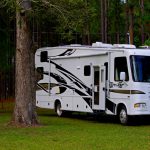

If you want to thrive while working remotely from your RV, designing a mobile office that balances comfort, connectivity, and functionality is non-negotiable. Remote work RV mobile office design isn’t just about squeezing a desk into a corner—it’s about creating a space that fuels productivity and adventure simultaneously.
Picture this: Sarah and Mike, full-time RVers, transformed their Jayco Eagle into a powerhouse office with solar panels, a Verizon 5G hotspot, and a custom slide-out desk. Their secret? Smart layout choices and tech gear that keep them connected and comfortable no matter where the road takes them.
Did you know that RV sales jumped over 20% in 2020, largely driven by remote workers seeking freedom without sacrificing their careers? That’s proof the mobile office lifestyle is here to stay—and getting better every year.
Key Takeaways
- Power and connectivity are the backbone of any remote work RV office—solar panels and cellular hotspots with boosters are must-haves.
- Ergonomic furniture and smart lighting keep you comfortable and focused during long workdays.
- Choosing the right RV layout (Class A, Class C, Fifth Wheel) can make or break your productivity on the road.
- Creative storage and space-saving solutions help maintain a clutter-free, efficient workspace in tight quarters.
- Balancing work with adventure requires routines, boundaries, and a dedicated workspace to separate “office” from “vacation.”
Ready to build your dream mobile office? Keep reading for detailed tips, gear recommendations, and inspiring real-life setups from RV Brands™ experts!
Table of Contents
- ⚡️ Quick Tips and Facts for Your Remote Work RV Mobile Office
- 🚐 The Evolution of Remote Work RV Mobile Offices: From Nomads to Digital Nomads
- 🏕️ Designing Your Dream Mobile Office: Essential Elements for RV Remote Work
- 1. Choosing the Perfect RV Layout for Productivity
- 2. Ergonomic Seating and Desk Solutions on the Road
- 3. Lighting Hacks to Boost Focus and Mood
- 4. Storage and Organization Tips for Clutter-Free Workspaces
- 🔌 Powering Your Mobile Office: Solar, Batteries, and Connectivity
- 5. Reliable Internet Options for Remote Work Anywhere
- 6. Managing Power Consumption Efficiently
- 🛠️ Tech Gear and Gadgets That Make RV Remote Work a Breeze
- 🌿 Balancing Work and Adventure: Tips for Staying Productive on the Road
- 💡 Creative Space-Saving Ideas for Small RV Offices
- 🛋️ Comfort and Wellness: Making Your Mobile Office a Healthy Workspace
- 📅 Daily Routines and Time Management for Remote RV Workers
- 🔍 Troubleshooting Common Challenges in RV Mobile Offices
- 🌟 Inspiring Success Stories: Real Remote Workers Thriving in Their RV Offices
- 🛒 Top RV Models and Brands Ideal for Mobile Office Setups
- 📚 Resources and Communities for Remote Work RV Enthusiasts
- 🎯 Conclusion: Crafting Your Ultimate Remote Work RV Mobile Office
- 🔗 Recommended Links for Remote Work RV Mobile Office Design
- ❓ FAQ: Your Burning Questions About Remote Work RV Offices Answered
- 📖 Reference Links and Further Reading
⚡️ Quick Tips and Facts for Your Remote Work RV Mobile Office
Welcome to the ultimate starter kit for remote work RV mobile office design! At RV Brands™, we’ve clocked thousands of miles and countless hours working from our rigs, so here’s the skinny on what you absolutely need to know before you hit the road with your laptop in tow.
Quick Facts to Kickstart Your Mobile Office Setup
- Power is king: A reliable power source is non-negotiable. Solar panels paired with lithium batteries give you freedom without the noise of generators. Learn more about RV solar systems.
- Internet connectivity: Cellular hotspots with signal boosters or satellite internet are your best friends. Without solid Wi-Fi, your office turns into a glorified camping trip. Check out Verizon 5G Home Internet for options.
- Ergonomics matter: Your back will thank you for investing in a quality office chair and adjustable desk. Small space? No problem — we’ll show you clever fold-away solutions.
- Lighting sets the mood: Natural light boosts productivity, but adjustable LED lighting is essential for those late-night Zoom calls.
- Storage is survival: Use vertical space and modular organizers to keep cables, files, and gadgets tidy.
- Noise control: Use noise-canceling headphones or install soundproofing panels to keep distractions at bay.
Pro Tip from the Road
We once met a full-time remote worker who riged a slide-out desk with a swivel chair in their Class C motorhome. They swore by the combo of a solar power system and a Verizon 5G hotspot with a Wilson signal booster — no dropped calls, no missed deadlines. 🚐💻
🚐 The Evolution of Remote Work RV Mobile Offices: From Nomads to Digital Nomads
Remote work and RV living have become the perfect power couple. What started as a niche lifestyle for wanders has exploded into a mainstream movement, fueled by technology and a desire for freedom.
The Road to Remote Work RV Offices
- Pre-pandemic: RVs were mostly for vacations and weekend getaways.
- Pandemic pivot: Millions shifted to remote work, and suddenly, the RV became a mobile office.
- Today: Purpose-built RVs with dedicated office spaces are hot commodities, with manufacturers like Grand Design, Keystone, and Jayco leading the charge.
Why Now?
- Technology: Faster internet, better power solutions, and lightweight tech gear make working on the road feasible.
- Lifestyle shift: People want to blend work and adventure seamlessly.
- RV innovation: Floorplans now include dedicated office nooks, ergonomic furniture, and smart storage.
Fun Fact
Did you know that RV sales surged by over 20% in 2020, largely driven by remote workers? Source: RV Industry Association.
🏕️ Designing Your Dream Mobile Office: Essential Elements for RV Remote Work
Creating a mobile office in an RV isn’t just about slapping a desk in a corner. It’s about crafting a functional, comfortable, and inspiring workspace that fits your unique workflow and lifestyle.
1. Choosing the Perfect RV Layout for Productivity
| RV Type | Pros | Cons | Best For |
|---|---|---|---|
| Class A Motorhomes | Spacious, residential feel, lots of power | Expensive, harder to drive | Full-time remote workers |
| Class C Motorhomes | Maneuverable, affordable, decent space | Less luxury, limited storage | Part-time workers, families |
| Fifth Wheels | Large, separate office rooms possible | Requires truck, less mobile | Serious full-time mobile offices |
| Travel Trailers | Lightweight, customizable | Requires tow vehicle, smaller space | Weekend warriors, budget-conscious |
RV Brands™ Tip: If you want a dedicated office space, consider a Fifth Wheel RV like the Keystone Montana 3941FO, which offers a fully enclosed front office with built-in desks and storage.
2. Ergonomic Seating and Desk Solutions on the Road
- Adjustable desks: Look for height-adjustable or fold-away desks to maximize space.
- Office chairs: Invest in a compact, ergonomic chair with lumbar support. Brands like Herman Miller might be overkill for RVs, but check out portable options like the Flash Furniture Mid-Back Mesh Chair.
- DIY hacks: Some RVers retrofit captain’s chairs with swivel bases and cushions for office use.
3. Lighting Hacks to Boost Focus and Mood
- Natural light: Position your desk near windows or skylights.
- LED task lighting: Use dimable LED lamps with adjustable color temperature.
- Smart lighting: Philips Hue bulbs can be controlled via smartphone for ambiance and energy savings.
4. Storage and Organization Tips for Clutter-Free Workspaces
- Use magnetic cable organizers and Velcro straps to manage cords.
- Install wall-mounted shelves or pegboards for supplies.
- Use stackable bins under desks for files and gadgets.
- Consider multi-use furniture with hidden storage compartments.
🔌 Powering Your Mobile Office: Solar, Batteries, and Connectivity
Without power and internet, your mobile office is just a fancy camping setup. Here’s how to keep the lights on and the Wi-Fi strong.
5. Reliable Internet Options for Remote Work Anywhere
| Internet Type | Speed | Coverage | Pros | Cons |
|---|---|---|---|---|
| Cellular Hotspot | Up to 300 Mbps | Depends on carrier | Portable, easy setup | Signal can be spoty in remote areas |
| Satellite Internet | 25-100 Mbps | Global coverage | Works almost anywhere | Latency issues, expensive |
| Public Wi-Fi | Varies | Limited locations | Free | Security risks, unreliable |
| Mobile Wi-Fi Routers | Up to 1 Gbps | Depends on SIM card | Can use multiple carriers | Setup complexity |
RV Brands™ Insight: We recommend pairing a Verizon or AT&T hotspot with a Wilson signal booster for the best balance of speed and coverage on the road.
6. Managing Power Consumption Efficiently
- Solar panels: Flexible or rigid panels mounted on the roof can generate 200-400 watts or more.
- Batteries: Lithium-ion batteries (like Battle Born) offer deep cycle capacity and longevity.
- Inverters: Pure sine wave inverters protect sensitive electronics.
- Energy monitors: Devices like Victron Energy’s BMV-712 help track power usage.
🛠️ Tech Gear and Gadgets That Make RV Remote Work a Breeze
Here’s the gear that turns your RV into a powerhouse mobile office:
- Laptop stand: Adjustable to reduce neck strain.
- Portable monitor: Brands like ASUS ZenScreen add screen real estate.
- Noise-canceling headphones: Bose QuietComfort or Sony WH-100XM4.
- Power strips with USB ports: For charging multiple devices.
- Wi-Fi range extenders: Amplify campground Wi-Fi.
- Cable organizers: Keep your desk tidy.
🌿 Balancing Work and Adventure: Tips for Staying Productive on the Road
Working from an RV means juggling deadlines with campfires. Here’s how to keep your sanity:
- Set strict work hours and stick to them.
- Use a dedicated workspace to “leave work” at the end of the day.
- Take breaks to explore — fresh air fuels creativity.
- Use productivity apps like Trello or Todoist to stay organized.
💡 Creative Space-Saving Ideas for Small RV Offices
Small RV? No problem! Here are some clever ideas:
- Fold-down desks: Mount a desk that folds flat against the wall.
- Convertible furniture: Ottomans or benches with storage inside.
- Slide-out desks: Use slide-out trays under counters.
- Vertical storage: Use wall pockets and hanging organizers.
🛋️ Comfort and Wellness: Making Your Mobile Office a Healthy Workspace
Your health matters, even on the road:
- Use a standing desk converter to alternate sitting and standing.
- Add a small air purifier to improve air quality.
- Keep hydration handy — a water bottle with a filter is a must.
- Stretch regularly to avoid stiffness.
📅 Daily Routines and Time Management for Remote RV Workers
Routine keeps the chaos at bay:
- Start your day with a morning ritual — coffee, meditation, or a walk.
- Block time for focused work using the Pomodoro technique.
- Schedule “office hours” to communicate availability.
- Plan your travel and work days separately to avoid burnout.
🔍 Troubleshooting Common Challenges in RV Mobile Offices
Even the best setups hit snags:
- Wi-Fi drops: Try repositioning your hotspot or use a booster.
- Power shortages: Monitor battery levels and conserve energy.
- Space crunch: Declutter regularly and rethink your layout.
- Noise distractions: Use white noise apps or noise-canceling headphones.
🌟 Inspiring Success Stories: Real Remote Workers Thriving in Their RV Offices
Meet Sarah and Mike, a couple who swapped their city apartments for a Jayco Eagle HT 320MKTS. They customized the rear desk area with dual monitors and solar power. Sarah says, “The view out the back window keeps me inspired, and the quiet office nook means I can focus even when Mike’s cooking up a storm.” Their secret? Routine, tech, and a killer playlist.
🛒 Top RV Models and Brands Ideal for Mobile Office Setups
| Model | Type | Office Feature | Best For |
|---|---|---|---|
| Grand Design Imagine 2670MK | Travel Trailer | Dedicated rear workspace | Custom chair lovers |
| Keystone Montana 3941FO | Fifth Wheel | Fully enclosed front office | Privacy seekers |
| Jayco Jay Feather 27MK | Travel Trailer | Rear desk with natural light | Lightweight, budget-conscious |
| Ember Overland Series | Travel Trailer | Customizable rear cargo workspace | Adventure seekers |
| Forest River Wildwood “VIEW” | Travel Trailer | Multi-function hidden office | Families and homeschoolers |
👉 CHECK PRICE on:
- Grand Design Imagine: RVShare | Outdoorsy | Grand Design Official
- Keystone Montana: RVShare | Camping World | Keystone RV Official
- Jayco Jay Feather: RVShare | Outdoorsy | Jayco Official
📚 Resources and Communities for Remote Work RV Enthusiasts
- RV Lifestyle at RV Brands™
- Roadtreking Facebook Group
- Escapes RV Club
- Technomadia Blog
- RVillage Community
These communities are gold mines for tips, troubleshooting, and camaraderie on the road.
🎯 Featured Video: Executive Romero Adventure Van Mobile Office
If you want to see a slek, professional mobile office in action, check out the Executive Romero. This adventure van is designed for executives, telehealth pros, and realtors who refuse to compromise on workspace quality. With a dedicated office upfront, mid-ship kitchen, and pop-top sleeping, it’s a masterclass in function meeting freedom.